We realize that in some cases the person who decides to purchase Pathway is not the same person who ends up creating emails and sending them to clients. In those situations, you might be interested in reviewing your current plan or even changing it. The screenshot below shows where you would do that.
Step 1:
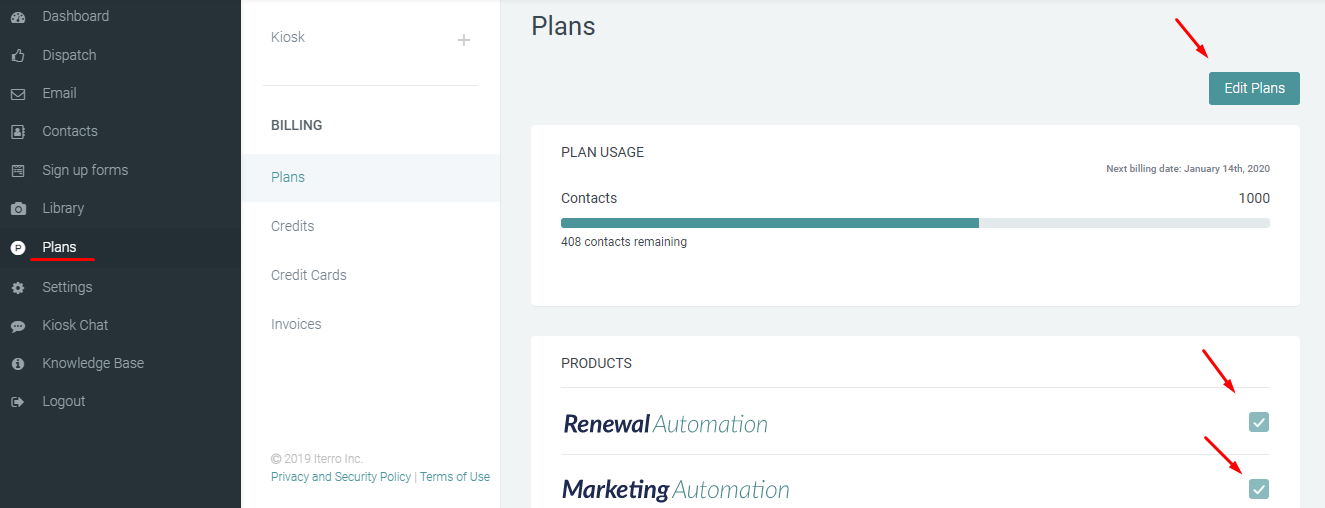 If a certain product is checked, that means that it is included in your current plan.
Step 2: You can add new products by clicking on Edit Plans: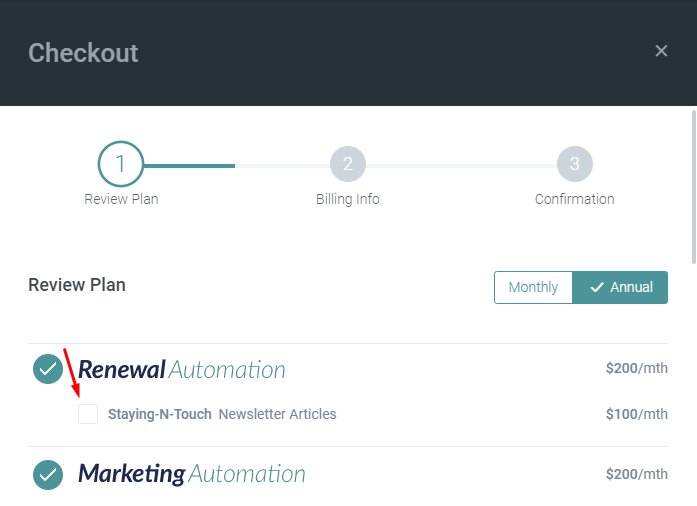
Step 3:
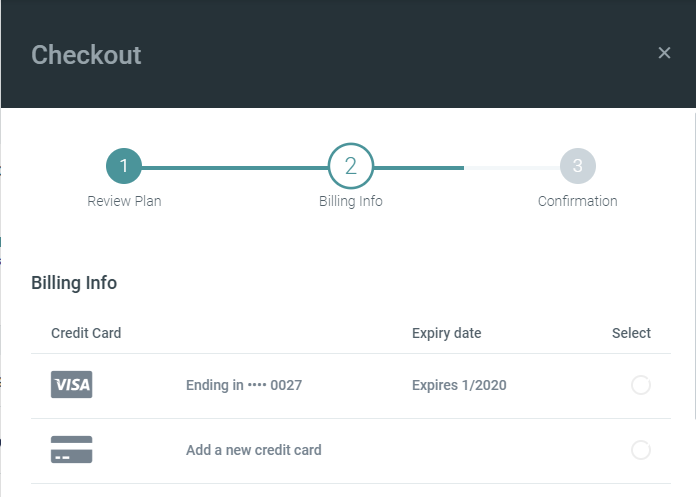
After you add the credit card details and authorize payment, you will receive the following payment confirmation: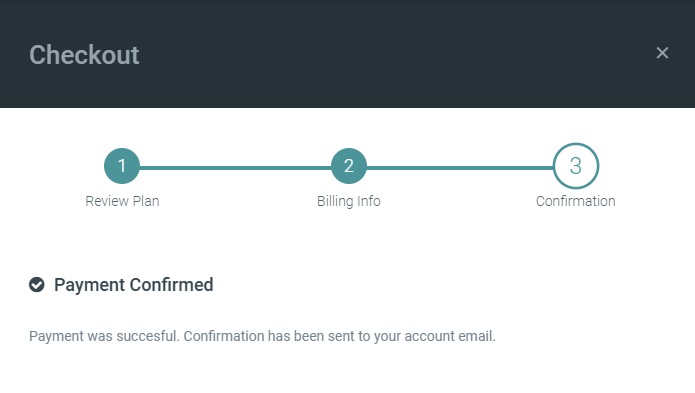
It is important to know that your chosen plans are transparent and are very easy to review and change directly on your account.