For Automated Workflows:
- Mouse over the name of the workflow and click the Edit button
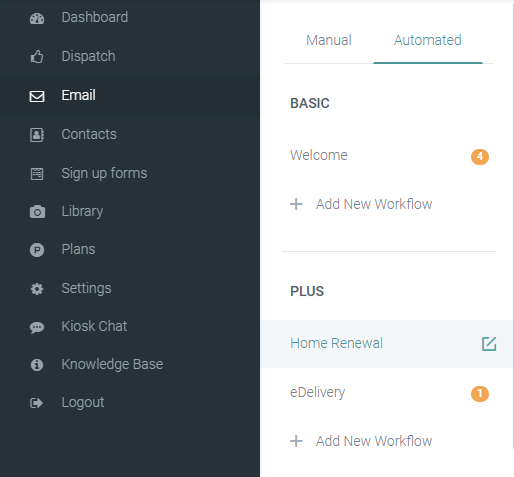
- In the slider screen, expand the Policy type filter and select the policy types you wish to use
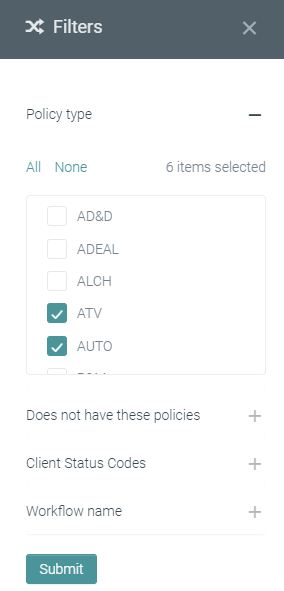
- Under Does not have these policies, you can EXCLUDE the policy types. This is especially useful for Cross Sell workflows
For Manual Emails:
For Manual emails, you need to first create a new segment.
To filter by policy type:
- Open the Policy filter
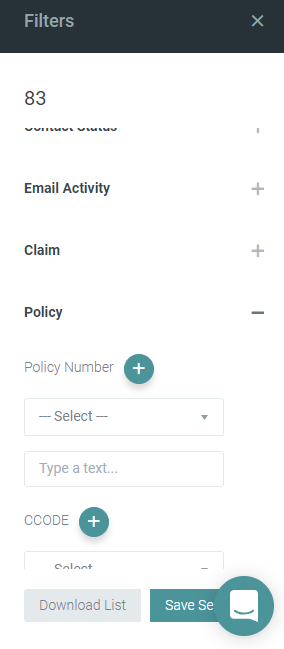
- Scroll down and find the Type/Buscode filter
- In the dropdown, select Exactly
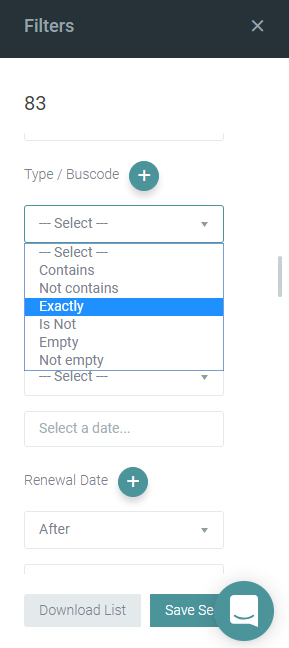
- Then, type in your code
- If you need to add more than one, click on the + sign next to the name of the filter and repeat steps 3 and 4
- Once done, click Save Segment