To access the merge tags, click the MERGE button.
You will see a new screen with all available merge tags. To add a merge tag, click the Add button.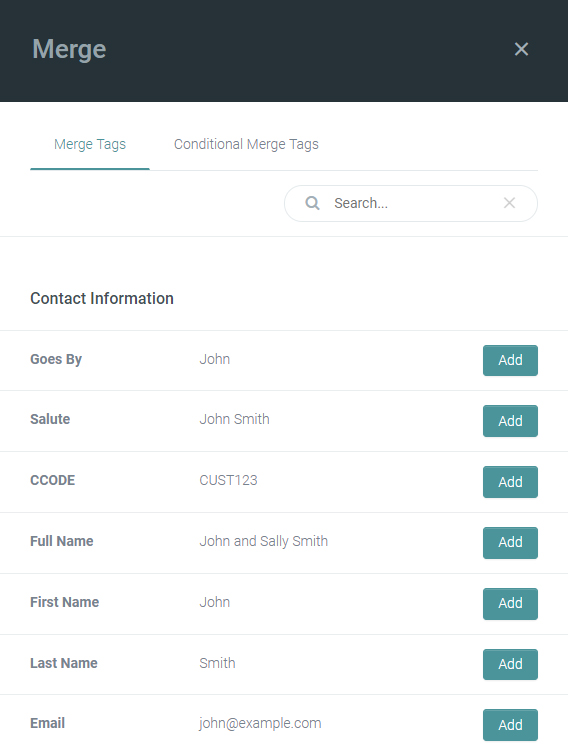
Customer Information:
{custom_custom_goes_by} - Goes By
{custom_custom_salute} - Salute
{custom_custom_status_code} - Client status, ex CLI or PRO
{custom_custom_csr_email} - CSR email on the customer file
{custom_custom_csr_name} - CSR name on the customer file
{custom_custom_csr_phone} - CSR phone on the customer file
{custom_custom_csr_title} - CSR title on the customer file
{custom_custom_csr_image} - CSR image in Pathway
{custom_custom_csr_signature_image} - CSR signature image in Pathway
{|staff:csr,policy|email|} - CSR email on the Policy file
{|staff:csr,policy|name|} - CSR name on the Policy file
{custom_custom_prd_email} - PRD email on the customer file
{custom_custom_prd_name} - PRD name on the customer file
{custom_custom_prd_phone} - PRD phone on the customer file
{custom_custom_prd_title} - PRD title on the customer file
{custom_custom_prd_image} - PRD image in Pathway
{custom_custom_prd_signature_image} - PRD signature image in Pathway
{|staff:prd,policy|email|} PRD email on the Policy file
{|staff:prd,policy|name|} PRD name on the Policy file
Policy info:
{|policy:|policynum|} - policy number
{|policy:|buscode|} - line of business code, ex: AUTO, HOME, HABL
{|policy:|effective|} - effective date
{|policy:|renewal|} - renewal date
{|policy:|cancelled_date|} - date when the policy was cancelled